
How to Convert Wired CarPlay to Wireless in 5 Minutes
No tools, no technician, no subscription. Just one small adapter — and you’ll never touch a cable again.

Converting to wireless CarPlay takes one adapter and about five minutes — most of which is waiting for your phone to pair.
Before you start: does your car qualify?
A wireless CarPlay adapter works by sitting between your car’s USB port and your iPhone — it speaks to both wirelessly. But there’s one important condition: your car must already have factory-installed wired Apple CarPlay.
The adapter converts the signal from wired to wireless. It doesn’t create CarPlay from scratch. If your car’s infotainment screen currently shows CarPlay only when you plug in a Lightning or USB-C cable, you’re in the right place.
Not sure if your car has factory CarPlay? Check our full vehicle compatibility list — it covers 80+ brands from 2016 onwards. If your car is on the list and you have the wired version, a wireless adapter will work.
If your car doesn’t have CarPlay at all, a wireless adapter won’t help — but you have other options. A portable CarPlay screen can add CarPlay to virtually any vehicle, and our AI multimedia boxes go even further, adding a full Android OS to your factory display.
What you’ll need
- A car with factory-installed wired Apple CarPlay (2016 or newer, most brands)
- An iPhone 6 or newer running iOS 9 or above (iOS 17+ recommended)
- A wireless CarPlay adapter — see our recommendations below
- 5 minutes and zero mechanical skills
That’s genuinely it. No drilling, no wiring, no visit to a workshop. The adapter plugs into the same USB port you currently use for your cable — and handles everything else automatically.
Step-by-step: the full installation
Follow these steps exactly as written. The whole process takes about 5 minutes on first setup — every drive after is completely automatic.
This is the USB port you currently plug your phone cable into. It’s usually in the centre console, inside the glovebox, or near the gear shift. Do not use any other USB port — only the one labelled CarPlay or with the CarPlay icon works.

Insert the wireless CarPlay adapter firmly into the USB port. A small LED light will start blinking — this means the adapter is on and broadcasting a Bluetooth signal. Leave the cable behind; you won’t need it anymore.
On your iPhone, open Settings → Bluetooth. Look for the adapter’s name in the list of available devices (usually “Carplay,” the brand name, or a code). Tap it to connect. This step only happens once.

Within 5–10 seconds of pairing, your car’s factory screen will switch to the familiar CarPlay interface — without any cable. Maps, Spotify, phone calls, Siri — everything works exactly as before, just without a wire.

From now on, the moment you start your car and your phone is nearby, CarPlay connects automatically. No tapping, no plugging, no waiting. Most adapters connect in under 6 seconds from engine start.


A clean, cable-free cabin. The adapter sits hidden in the USB port — your passengers will never know it’s there.
If something goes wrong
The setup process is straightforward, but here are the most common issues and their fixes:
| Problem | Most likely cause | Fix |
|---|---|---|
| Adapter not showing in Bluetooth | LED not blinking | Unplug and replug; wait for LED to blink |
| CarPlay doesn’t appear after pairing | Wrong USB port used | Use only the designated CarPlay USB port |
| Connection drops during drive | 2.4GHz Wi-Fi interference | Switch adapter to 5GHz band in companion app |
| Slow to connect (>15 sec) | Outdated firmware | Update firmware via companion app |
| CarPlay shows but no audio | Car audio source not set to CarPlay | Select CarPlay as audio source on your head unit |
Still stuck? Our FAQ page covers the full range of setup and connection issues. You can also reach our support team via live chat directly on the website — we typically respond within a few hours.
Which adapter should you buy?
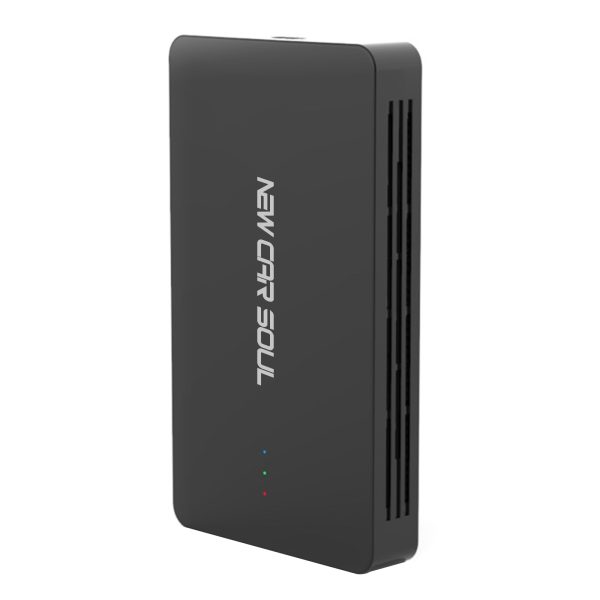
For most drivers, we recommend the New Car Soul 3-in-1 Multimedia Video Box. It converts your wired CarPlay to wireless, and goes further — unlocking YouTube, Netflix, and Android Auto on your factory screen. It’s our top-rated product and the best value for the money.
Wireless CarPlay + Android Auto + Netflix/YouTube streaming. One-time setup, auto-connects on every drive. 1-year warranty and lifetime OTA updates included.
Want to compare all available adapters side by side? Read our full Wireless CarPlay Adapter Buyer’s Guide 2026, where we test and rank the top five options on the market.
Frequently asked questions
No. Wireless CarPlay adapters plug into the existing USB port and do not modify any car hardware or firmware. They are legal aftermarket accessories that have no impact on your vehicle warranty.
Yes — all iPhones from iPhone 6 onwards support wired CarPlay. For wireless specifically, iPhone 5s or later running iOS 9+ is supported. All modern iPhones (iPhone 7 onwards) support wireless CarPlay natively with no restrictions.
A wireless adapter only works if your car already has wired CarPlay. If it doesn’t, you’ll need a portable CarPlay screen or a multimedia AI box that adds CarPlay to any vehicle.
No — call audio routes through your car’s speakers exactly as before. GPS location comes from your iPhone, not the adapter, so accuracy is identical. The only variable is Bluetooth audio latency, which on quality adapters is under 100ms and completely unnoticeable.
Yes — the adapter occupies your CarPlay USB port, but you can charge via a second USB port, a wireless charging pad, or a 12V socket adapter. Most modern cars have multiple USB ports for exactly this reason.