
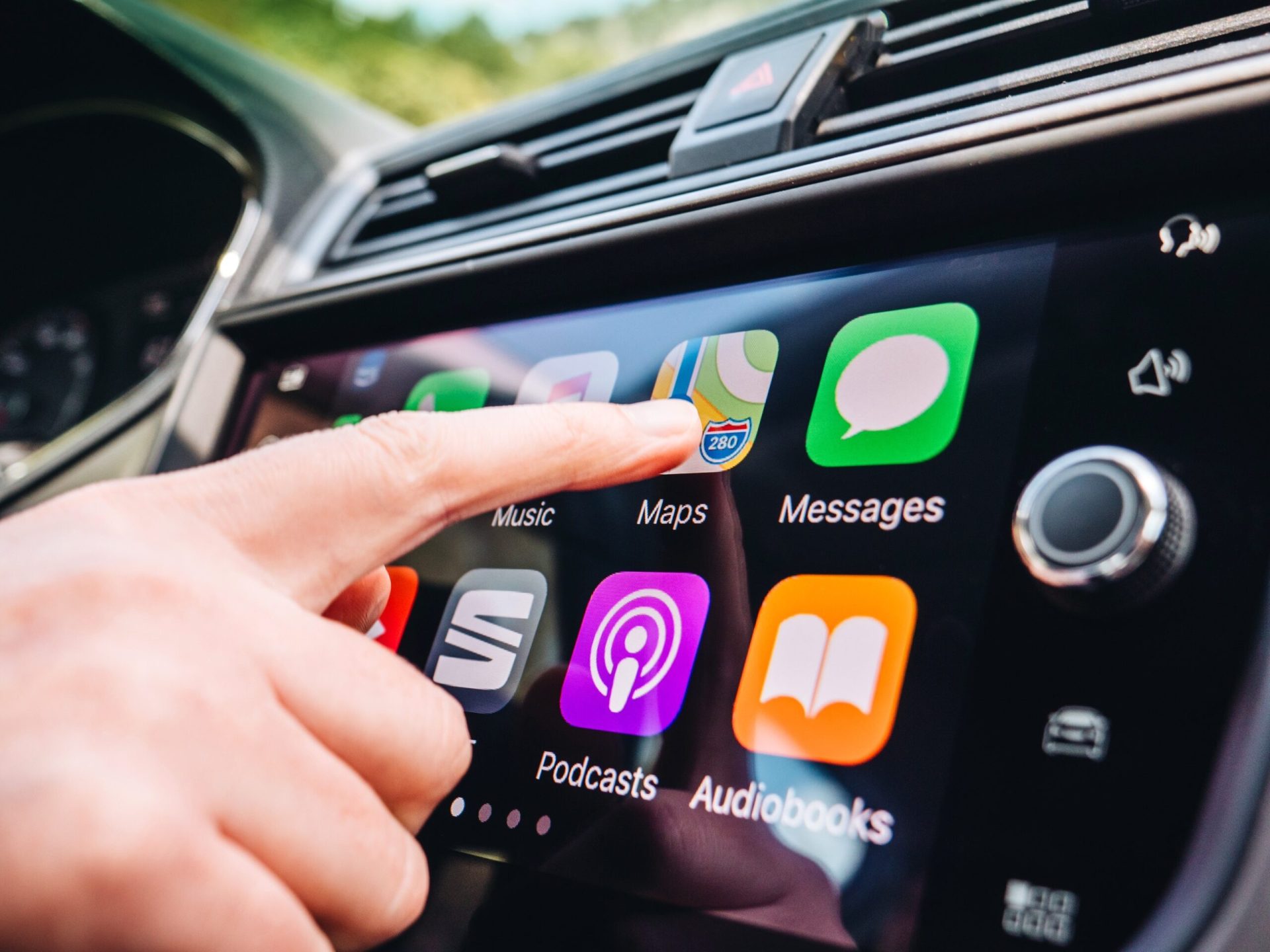
Apple CarPlay enhances driving experiences by integrating iPhone functionalities with vehicle systems. It has evolved significantly since its introduction, marking important milestones and expanding its core functionalities and support across a wide range of vehicles.
Evolution and Milestones
CarPlay was first showcased at the Apple Worldwide Developers Conference (WWDC) in 2014. It started as a platform to improve in-car infotainment systems by allowing drivers to safely access iPhone features like maps, phone calls, and messages.
Over the years, CarPlay has integrated more features and supported more car models. Notably, it now connects with essential car functions beyond just entertainment, allowing deeper integration with vehicle systems. This advancement positions Apple as a leader in automotive technology, as seen with its upcoming next generation of CarPlay.
Core Functionality and Support
Core functionalities of CarPlay focus on delivering a seamless user experience. It offers features like Apple Music and Siri voice control, allowing hands-free command over vehicle navigation, communication, and entertainment.
Many automakers support CarPlay, offering users a consistent Apple experience across different vehicles. Recent updates have expanded support for apps like Apple News Audio and HomeKit integration, providing more flexibility and control for users on the road. As CarPlay continues to evolve, its functionality promises to broaden, meeting the demands of modern drivers and enhancing safety and usability.
CarPlay Design and User Interface
CarPlay’s interface is designed to enhance the driving experience by blending technology with elegance. This section examines CarPlay’s visual harmony and how its responsiveness improves usability. It also covers the level of customization possible through widgets and its seamless integration with vehicle features such as climate control and speedometers.
Visual Harmony and Responsiveness
CarPlay excels in its visual harmony, combining bold colors and clear icons that make it easy for drivers to interact with the system safely. The interface adapts seamlessly to different screen sizes, creating a consistent user experience across various vehicles.
Users find that text and icons are easily readable, even at a glance.
This responsiveness also ensures that animations and transitions run smoothly without distracting drivers. Unlike some other systems, CarPlay prioritizes fluid movement between apps and controls. This attention to detail helps minimize errors and enhances the overall sophistication of the system, making it a leading choice in automotive interfaces.
Customization and Widgets
One of the strengths of CarPlay lies in its ability to offer customization options through widgets.
Users can personalize their interface by selecting which apps and information appear prominently. This feature allows easier access to important information like maps or favorite music apps, without fumbling through menus.
Widgets in CarPlay are designed to provide essential data quickly. While Android Auto offers similar features, CarPlay distinguishes itself with its simplicity and intuitive layout. With the ability to adjust settings, the aesthetic appeal is enhanced by ensuring each driver can tailor the interface to meet their individual needs.
Integration With Vehicle Features
CarPlay’s seamless integration with vehicle features like climate control and speedometers adds to its functionality. Drivers can adjust the temperature or check fuel levels directly from the CarPlay screen, reducing the need to switch between different systems.
This feature brings a cohesive approach to managing different aspects of the car’s interior design.
The integration supports a unified experience, where technology and functionality meet sophistication. Apple’s attention to detail and streamlined connectivity between software and hardware make CarPlay a benchmark in auto tech. This integration is crucial for maintaining safety and comfort, ensuring that relevant information is accessible at all times.
Functional Aspects of CarPlay
CarPlay transforms the driving experience by seamlessly integrating digital convenience with vehicle control. It offers functionality through advanced voice control using Siri and enhances safety with driver assistance features, making it an indispensable tool for modern drivers.
Convenience of Voice Control and Siri
Voice control in CarPlay allows drivers to engage with their devices without distractions. Siri integration provides a hands-free experience, permitting users to send messages, make calls, and control music.
The voice commands ensure that drivers can keep their focus on the road while still managing phone tasks. The intuitive nature of Siri ensures that drivers can use natural language to give commands.
Simple tasks like checking weather or adjusting navigation routes become effortless with Siri’s help. Additionally, drivers can control connected devices at home, enhancing comfort and connectivity. The craftsmanship of CarPlay seamlessly integrates with vehicle systems, ensuring that voice control does not interfere with other car functions.
Safety and Driver Assistance
CarPlay contributes to vehicle safety by providing driver assistance features that reduce distractions. The large, easy-to-read interface allows easy access to apps and navigation, minimizing the need to look away from the road.
Integration with safety features such as adaptive cruise control and lane-keeping assistance enhances driving safety.
CarPlay’s ability to deliver real-time traffic conditions and road hazard alerts helps drivers make informed decisions. This ensures a safer and more comfortable drive.
The system’s seamless phone integration means that drivers don’t have to physically handle their devices, hence reducing potential distractions. This blend of technology and safety reflects CarPlay’s commitment to improving the driving experience.
Compatibility and Integration
Compatibility and integration are essential for a smooth experience with Apple CarPlay. This technology collaborates with various car manufacturers and iOS systems to ensure seamless connectivity. By focusing on partnerships and iOS updates, CarPlay enhances the driving experience.
Vehicle Manufacturer Partnerships
Many carmakers have embraced Apple CarPlay to offer seamless phone integration. Brands like Porsche and Ford are known for integrating CarPlay into their vehicles.
These partnerships ensure that drivers can enjoy features like navigation, music, and messaging with ease.
Ford’s models, such as the Ford Explorer, provide compatibility as standard. Porsche elevates the driving experience by offering both wired and wireless Apple CarPlay options. Such collaborations make it more convenient for drivers to access essential smartphone functions without distraction, enhancing both safety and convenience.
iOS Integration and Software Updates
Apple CarPlay relies heavily on iOS integration for optimal performance. Regular software updates play a crucial role in maintaining system stability and introducing new features.
With the release of iOS 18, Apple has enhanced CarPlay functionality, including improved user interfaces and additional app support.
These updates ensure the latest operating systems work seamlessly with new vehicle models. By staying updated with iOS, CarPlay offers not only new features but also increased compatibility with a broader range of apps. This ongoing software development ensures that users have access to the latest advancements, making their in-car experience more enjoyable and efficient.
Frequently Asked Questions
Apple CarPlay brings together ease of use and style for a better driving experience. It makes using your phone in the car simple and safe. Let’s explore some common questions about it.
How does Apple CarPlay enhance the driving experience?
Apple CarPlay uses a familiar interface from iPhones, making it easy to navigate on a car’s screen. It minimizes distractions by enabling users to access maps, music, and messages with ease. This seamless integration keeps hands on the wheel and eyes on the road.
Is Apple CarPlay compatible with all car models?
CarPlay is available in many modern vehicles, but not all models come equipped with this feature. Some car manufacturers have integrated CarPlay into their systems, while others still require additional setups. It is important to check with the vehicle manufacturer for compatibility.
What features does CarPlay offer to users?
CarPlay provides access to essential apps like navigation, music, and podcasts. It simplifies tasks such as making calls and sending texts. The interface is designed to minimize driver distractions and optimize convenience, enhancing both safety and enjoyment during driving.
How does CarPlay integrate with a vehicle’s native infotainment system?
CarPlay takes over the vehicle’s infotainment display, presenting users with Apple’s recognizable interface. By plugging in an iPhone, the system seamlessly merges with the car’s setup, allowing drivers to interact with their apps as intuitively as they would on their phones.
Are there any differences between CarPlay and Android Auto in terms of aesthetics?
CarPlay and Android Auto both aim to integrate smartphones with vehicle displays but differ in appearance and functionality. CarPlay boasts a sleek and minimalist design resembling Apple’s devices, while Android Auto offers a more customizable interface aligned with Google’s ecosystem.
Can CarPlay be used hands-free and does it support voice commands?
CarPlay supports hands-free use through Siri, Apple’s voice assistant. Users can control the system and perform tasks through voice commands. Tasks include sending messages or getting directions. This hands-free feature enhances safety and convenience while driving.