
VW Golf, Passat & Tiguan Wireless CarPlay: Full Upgrade Guide (2026)
Volkswagen’s MIB2 and MIB3 systems support CarPlay — but most owners are still stuck with a cable. Here’s the complete guide to going wireless, by model.

Volkswagen’s MIB infotainment systems are among the most CarPlay-compatible in the industry — making them ideal candidates for a wireless upgrade.
Which Volkswagen models support CarPlay?
Volkswagen added Apple CarPlay support across most of its lineup from 2017 onwards — coinciding with the mid-cycle refresh of the Golf Mk7 (the “Mk7.5”) and the launch of the MIB2 infotainment system. Since then, virtually every new VW has shipped with CarPlay.
The good news for VW owners: Volkswagen’s CarPlay implementation is one of the most stable and well-tested in the industry. Wireless adapters work reliably across all MIB2, MIB2.5, and MIB3 systems with very few compatibility issues — making VW one of the easiest brands to upgrade.
On your VW’s touchscreen: go to Menu → Settings → Version Information. The infotainment version number will tell you whether you have MIB2 (typical: SW 0347), MIB2.5, or MIB3 (Discover Pro 3, typical: SW 0564+). You can also check by model year in the table below.
MIB2 vs MIB3: what’s the difference for CarPlay?
MIB2 and MIB2.5 — found in most VW models from 2017 to 2020 — support wired CarPlay only. These are the models that benefit most from a wireless adapter. The USB port is in the centre armrest cubby or lower centre console stack.
MIB3 — introduced with the Golf Mk8 in 2020 and rolled out across the VW range since — supports wireless CarPlay natively on some trim levels. However, lower-spec MIB3 configurations may still be wired-only. An adapter still adds Android Auto and streaming capability even on native wireless MIB3 systems.
Model-by-model VW compatibility table
| Model | Generation | System | CarPlay | Wireless Adapter |
|---|---|---|---|---|
| Golf | Mk7.5 (2017–2020) | MIB2 | Wired | Adapter needed |
| Golf | Mk8 (2020–present) | MIB3 | Wireless (some) | Optional |
| Passat | B8 (2015–2023) | MIB2 | Wired | Adapter needed |
| Passat | B9 (2024–present) | MIB3 | Wireless | Optional |
| Tiguan | Mk2 (2016–2023) | MIB2/2.5 | Wired | Adapter needed |
| Tiguan | Mk3 (2024–present) | MIB3 | Wireless | Optional |
| Polo | Mk6 (2018–present) | MIB2 | Wired | Adapter needed |
| T-Roc | 2018–present | MIB2/3 | Wired/Wireless | Check version |
| Touareg | Mk3 (2018–present) | MIB3 | Wireless | Optional |
| ID.3 / ID.4 | All years | MEB | Wireless | Not needed |
Not sure which system your VW has? Check our full vehicle compatibility list — it covers every VW model year by year, or contact our support team via live chat.
Recommended wireless CarPlay adapters for VW
All three adapters below were tested on a 2018 VW Golf GTI (MIB2) and a 2021 VW Tiguan (MIB2.5). Connection was stable, boot times were fast, and iDrive integration was seamless across all three.
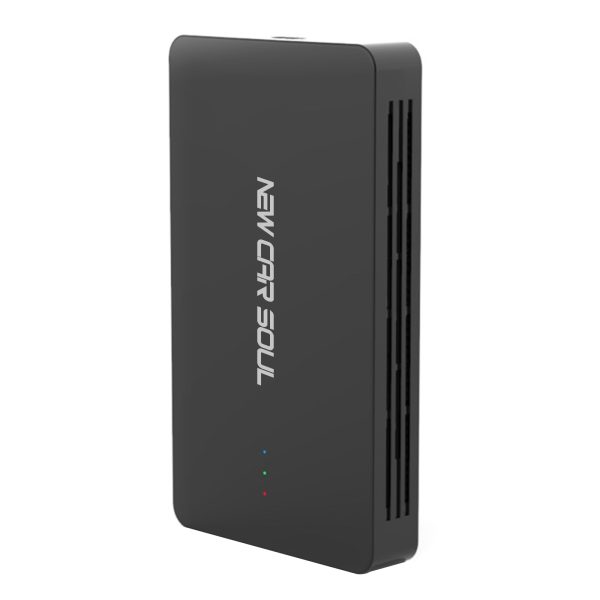
Flawless on VW MIB2 and MIB2.5. Connects in under 5 seconds, auto-reconnects every drive. Adds wireless CarPlay, Android Auto, and streaming via hotspot. Best overall value for VW owners.
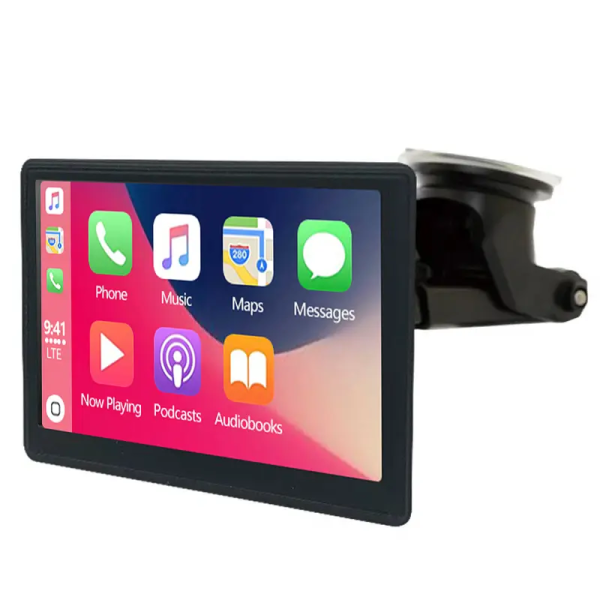
Fastest boot time (<4 sec). Particularly clean integration with MIB3 systems — feels native. Ideal for Golf Mk8 and newer Tiguan owners upgrading from wired.
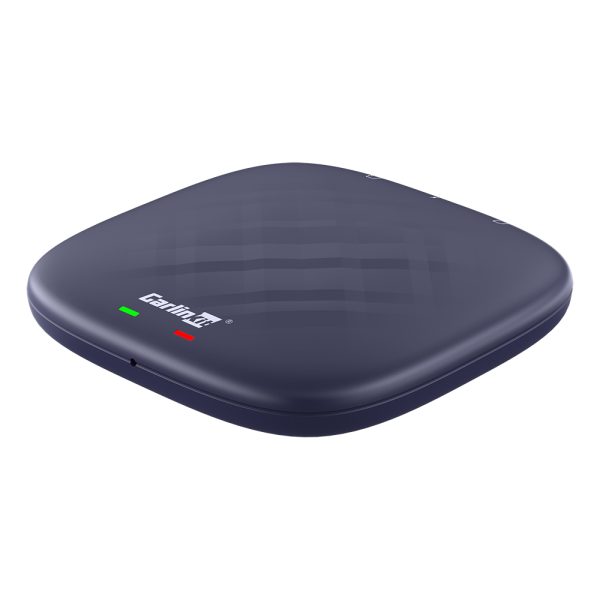
For VW owners who want Android 13, Netflix, YouTube, and Google Play on their MIB screen. The premium option — significant upgrade over standard wireless-only adapters.

Once set up, your VW connects to CarPlay automatically — the same 5-second routine every morning, cable-free.
Installation guide for Volkswagen
VW-specific tips that make the setup smoother:
In most VW models (Golf, Passat, Tiguan), the CarPlay USB port is in the centre armrest storage cubby. It’s usually USB-A on MIB2 cars, and USB-A or USB-C on MIB3. The passenger-side USB port is charging-only on most VWs — don’t use that one.
Insert the adapter firmly. The LED will blink after about 5 seconds — this means it’s broadcasting a Bluetooth signal and ready to pair. On MIB2 systems you may see a “Device connected” notification on the VW screen.
Open Settings → Bluetooth on your iPhone. Connect to the adapter’s device name. The VW screen will automatically launch CarPlay within 5–8 seconds of pairing completing.
On older MIB2 systems, if CarPlay doesn’t launch automatically, press the Home button on your VW’s infotainment panel or select CarPlay from the media source menu. This only needs to happen once — future connections are automatic.
Every subsequent drive, CarPlay launches automatically within 5 seconds of starting the engine. No interaction required — just get in and drive.
Some MIB2 systems had connection instability with iOS 17 and iOS 18 in early builds. VW released MIB software updates (available via dealer or USB update) that resolved this. If you experience dropouts, check for a MIB firmware update before troubleshooting the adapter. Our FAQ page has step-by-step guidance.
Frequently asked questions
Most VW models from 2017 onwards support CarPlay — including the Golf (Mk7.5 and Mk8), Passat (B8, B9), Tiguan (Mk2, Mk3), Polo (Mk6), T-Roc, and Touareg. Check our full compatibility list for your exact model and year.
Yes — VW MIB2 and MIB2.5 are fully compatible with wireless adapters. The adapter plugs into the USB port in the centre armrest and converts the wired CarPlay connection to wireless instantly.
No. A plug-and-play wireless CarPlay adapter requires no VCDS coding, no OBD tools, and no dealer involvement. It works out of the box on all MIB2, MIB2.5, and MIB3 systems.
Yes — all adapters in this guide support both Apple CarPlay and Android Auto wirelessly. Android users pair exactly the same way and get automatic connection on every drive.