

How to Add CarPlay to Tesla Model 3, Model Y & More (2026)
Tesla’s infotainment is impressive — but it’s not CarPlay. Here’s how iPhone and Android users can get their preferred interface in any Tesla.

Tesla’s large touchscreen is one of the best in the industry — but it runs Tesla’s own software, not Apple CarPlay or Android Auto.
Why Tesla doesn’t support CarPlay (and probably never will)
Tesla is one of the only major car manufacturers that does not support Apple CarPlay or Android Auto — and this is deliberate. Tesla’s entire business model is built around its own proprietary software ecosystem, and integrating CarPlay would mean ceding control of the screen to Apple or Google.
Tesla’s in-house system does many things well — over-the-air updates, Autopilot integration, energy monitoring, and Sentry mode all live in that same screen. CarPlay can’t replace these functions. But what Tesla’s system can’t replicate is the seamless connection to your iPhone apps, your iMessage threads, your specific music library settings, and Siri.
Despite what some online guides claim, there is no software update, jailbreak, or app that adds native CarPlay to Tesla vehicles. The only real solutions involve adding a separate CarPlay screen to your Tesla’s interior.
Your options for adding CarPlay to a Tesla
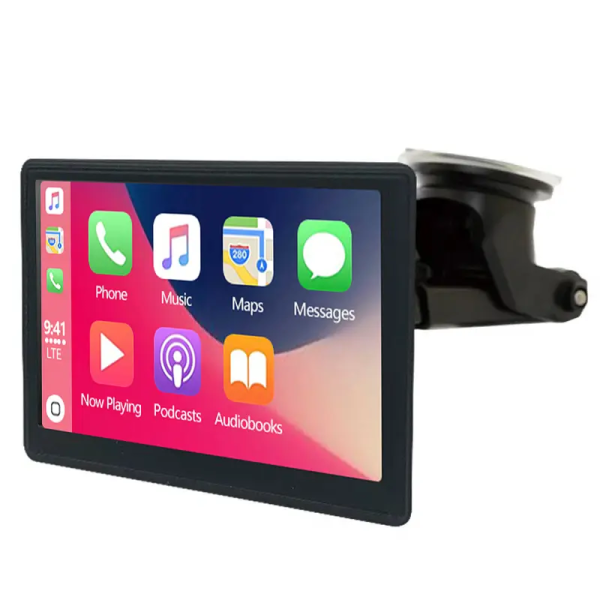
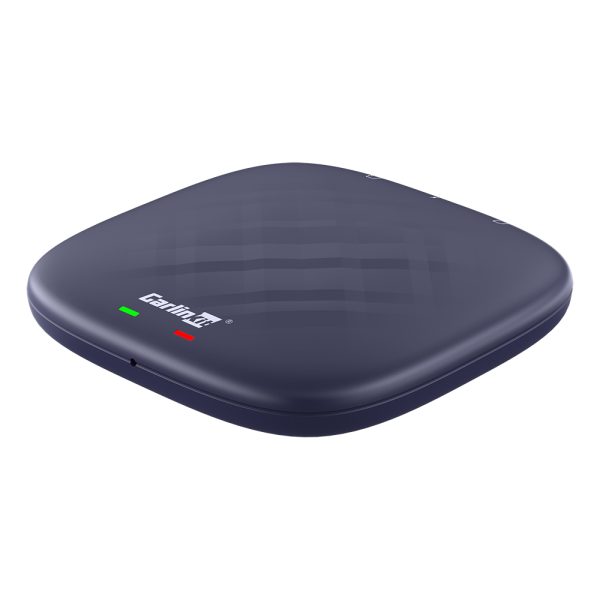

Compatibility by Tesla model
| Tesla Model | Portable CarPlay Screen | AI Box Solution | Notes |
|---|---|---|---|
| Model 3 (all years) | ✓ | ✓ | Most popular — large flat dash area suits portrait screen |
| Model Y (all years) | ✓ | ✓ | Identical interior to Model 3 — same fitment |
| Model S (pre-2021) | ✓ | ✓ | Horizontal screen layout — landscape CarPlay preferred |
| Model S (2021+) | ✓ | ✓ | New yoke steering — dashboard mount options vary |
| Model X (all years) | ✓ | ✓ | Large cabin — front and rear screen options possible |
| Cybertruck | ✓ | ✓ | Unique dash layout — verify mount compatibility |

The Model 3 and Model Y’s clean, minimal dashboard provides an ideal surface for a portable CarPlay screen — no drilling or permanent installation required.
Setup guide: portable CarPlay screen for Tesla
Here’s how to get CarPlay running in your Tesla using a portable screen — the quickest and most straightforward method:
Most Model 3 and Y owners mount the screen on the dashboard above the centre console, or on the windscreen using a suction cup mount. Choose a position that doesn’t obstruct the Tesla’s screen or your forward visibility.
Most portable CarPlay screens are powered by USB. Tesla’s centre console has USB-A and USB-C ports — use one of these to power the screen. This keeps everything cable-free and tidy.
Turn on the screen and go to your iPhone’s Bluetooth settings. Connect to the screen’s Bluetooth device name. This one-time pairing takes about 30 seconds.
Once paired, CarPlay appears on the screen automatically. Your Tesla’s own screen continues to show Tesla’s navigation, energy display, and Autopilot — completely unaffected.
From now on, the screen connects to your iPhone the moment you get in and the screen powers up. Apple Maps, Spotify, iMessage, Siri — all available while Tesla handles the driving.
Running a CarPlay screen alongside Tesla’s native display gives you the best of both worlds: Tesla’s superior Autopilot interface, real-time energy consumption, and Sentry mode on the main screen — plus Apple Maps, Siri, and your iPhone apps on the CarPlay screen. Many Tesla owners find this setup more useful than CarPlay alone would be.
Frequently asked questions
No. Tesla does not support Apple CarPlay or Android Auto natively. Tesla uses its own proprietary infotainment system and has repeatedly declined to add CarPlay support. Third-party solutions are the only way to access CarPlay in a Tesla.
A portable screen that powers from Tesla’s USB port and doesn’t connect to the vehicle’s internal systems will not void your warranty. It’s a standalone device — like plugging in a phone charger. Solutions that involve hardwiring into the Tesla’s electrical system are a different matter — consult your Tesla service centre if unsure.
All Tesla models — Model 3, Model Y, Model S, Model X, and Cybertruck — can use a portable CarPlay screen solution. The screen works independently of Tesla’s software, so it’s compatible with all software versions including the latest updates.
Yes — portable CarPlay screens and our AI Boxes support both Apple CarPlay and Android Auto wirelessly. Android users can use the same device as iPhone users.