
What is Apple CarPlay? Complete Beginner’s Guide (2026)
In plain English: what CarPlay actually does, what you need to use it, and how to get it — whether your car has it or not.

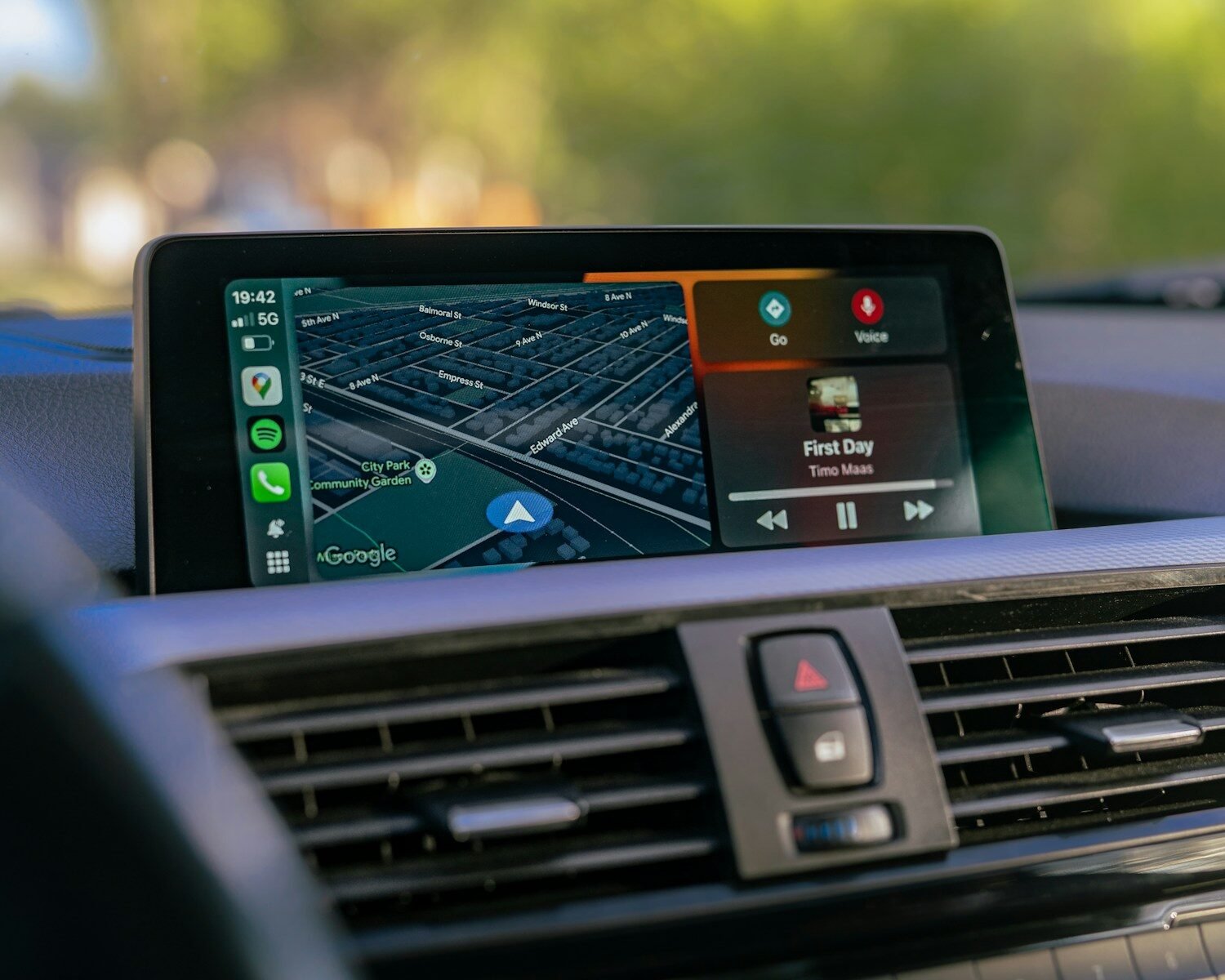
Apple CarPlay turns your car’s factory screen into an extension of your iPhone — maps, music, messages, and Siri, all in a driving-safe interface.
What is Apple CarPlay?
Apple CarPlay is a feature that connects your iPhone to your car’s factory touchscreen, displaying a simplified, driving-friendly version of your phone’s interface. Instead of squinting at your phone in a cupholder, you interact with maps, music, calls, and messages directly on your car’s built-in display — using touch, your steering wheel controls, or Siri.
Think of it as a bridge between your iPhone and your car. CarPlay doesn’t change what your car does — it doesn’t affect the speedometer, climate controls, or any driving systems. It simply takes over the infotainment screen and makes your iPhone apps available there in a safe, large-format layout.
Apple first introduced CarPlay in 2014. By 2026, it’s supported in over 800 car models from more than 80 manufacturers — including VW, Toyota, BMW, Mercedes, Honda, Ford, Hyundai, Audi, and Porsche. Most new cars include it as standard.
A brief history
What can CarPlay do?
CarPlay gives you access to a curated set of iPhone apps, redesigned for large-screen, driving-safe use:
Apple Maps with turn-by-turn directions. Also works with Google Maps and Waze — whichever you prefer.
Apple Music, Spotify, Tidal, podcasts, and audiobooks — through your car’s speakers with full control.
Make and receive calls hands-free through your car’s microphone and speakers. Caller ID shown on screen.
Read and reply to iMessage, WhatsApp, and SMS — Siri reads messages aloud and sends replies by voice.
Full Siri access — ask for directions, send messages, make calls, or control music completely hands-free.
Siri can read your upcoming appointments and set reminders while you drive — no screen interaction needed.
What CarPlay cannot do
| You can do this | You cannot do this |
|---|---|
| ✓ Navigation with Apple Maps, Google Maps, Waze | ✗ Stream Netflix or YouTube |
| ✓ Play music from Spotify, Apple Music | ✗ Browse the internet |
| ✓ Make and receive calls hands-free | ✗ Use social media apps |
| ✓ Send and receive messages via Siri | ✗ Play games or use non-CarPlay apps |
| ✓ Use Siri for voice commands | ✗ Access your camera or photos |
| ✓ Listen to podcasts and audiobooks | ✗ Watch video content of any kind |
If you want to stream Netflix, YouTube, or use any Android app on your car screen, you need a CarPlay AI Box. It runs a full Android OS on your factory screen, with CarPlay as one option among many. See our comparison guide to understand the difference.
What you need to use CarPlay
- An iPhone — iPhone 5 or later. For wireless CarPlay: iPhone 5s or later with iOS 9+. Virtually all modern iPhones (7 onwards) support wireless CarPlay with no restrictions.
- A CarPlay-compatible car — most vehicles manufactured from 2016 onwards include factory CarPlay. Check our full compatibility list for your specific model.
- A USB cable (for wired) or a wireless adapter (for wireless on cars that only have wired CarPlay).
- CarPlay enabled on your iPhone — Settings → General → CarPlay. It’s on by default.

Getting started with CarPlay is simple: iPhone, compatible car, and a cable or wireless adapter — that’s all you need.
Wired vs wireless CarPlay: what’s the difference?
There are two ways to use CarPlay: plugged in with a USB cable, or completely wirelessly.
Wired CarPlay works by connecting your iPhone to your car’s designated USB port with a Lightning or USB-C cable. It’s reliable and works on all CarPlay-compatible cars. The downside: you need to plug in every time, and you need to remember your cable.
Wireless CarPlay uses Bluetooth for the initial handshake and Wi-Fi to stream data. Once paired, your phone connects automatically whenever you get in the car — no cable, no thought required. It’s supported natively on newer car models, or can be added to older cars using a wireless CarPlay adapter.
For a full comparison of wired vs wireless, see our dedicated guide: Wired vs Wireless CarPlay: Is Wireless Worth It?
How to get CarPlay if your car doesn’t have it
Add a wireless adapter to cut the cable. One-time setup, auto-connects on every drive.
Shop Adapters →A portable CarPlay screen adds wireless CarPlay to any vehicle — no factory CarPlay required.
Shop Screens →A CarPlay AI Box adds wireless CarPlay plus Netflix, YouTube, and Android apps.
Shop AI Boxes →Frequently asked questions
Apple CarPlay works with iPhone 5 or later running iOS 7.1+. For wireless CarPlay, you need iPhone 5s or later with iOS 9+. All modern iPhones (7 onwards) support wireless CarPlay with no limitations.
CarPlay is supported by over 800 car models from 80+ manufacturers — most cars made from 2016 onwards. Check our full compatibility list for your specific model and year.
Yes. If your car has wired CarPlay, a wireless adapter converts it to wireless. If your car has no CarPlay at all, a portable CarPlay screen adds it to any vehicle independently.
Yes — Apple CarPlay is a free feature built into iOS and included with compatible cars at no ongoing cost. There’s no subscription. The only cost is the hardware: your iPhone, and if you’re adding wireless capability, a wireless adapter.
Navigation (Apple Maps, Google Maps) uses your iPhone’s mobile data or offline maps. Music streaming uses data if you’re not downloading tracks for offline use. Calls and Siri use minimal data. CarPlay itself doesn’t add data usage beyond what your normal iPhone apps would use.